Community FAQ


➡️ How can I submit an idea?
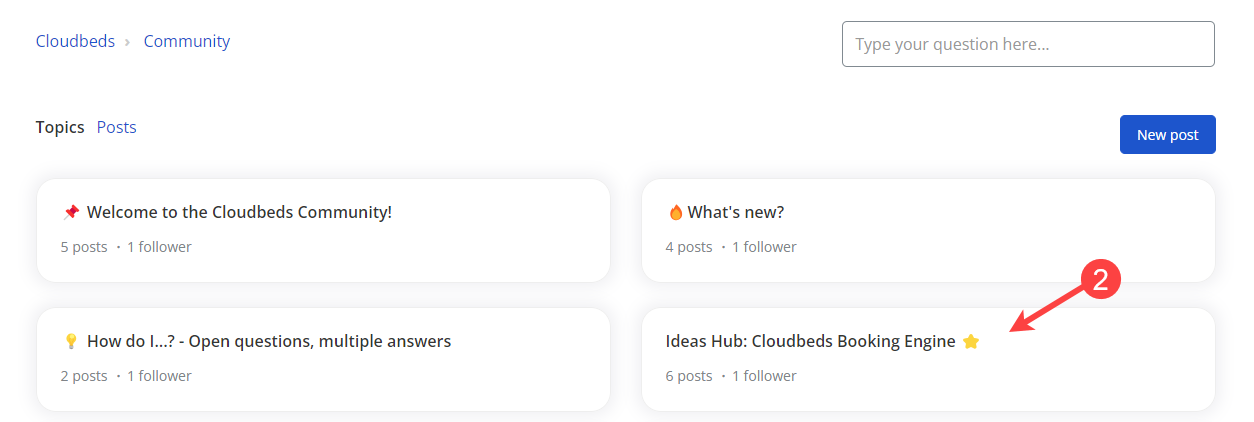
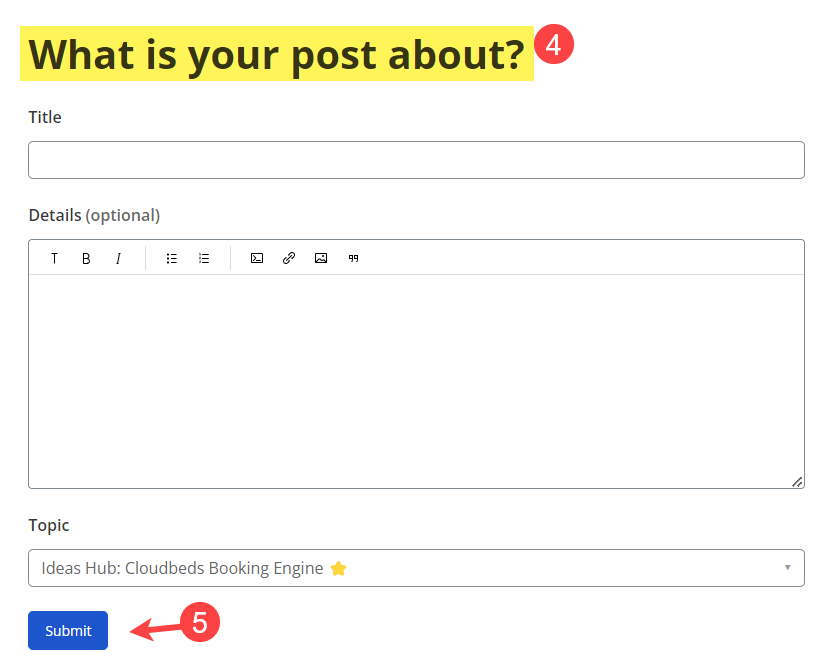
To submit a new idea:
- Go to the Cloudbeds Community main page
- Select the desired topic
- Click on New post
- Complete the required fields
- Click to Submit


➡️ How can I vote for an idea?
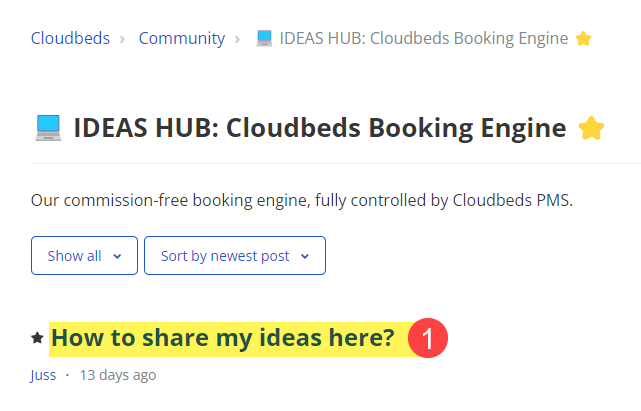
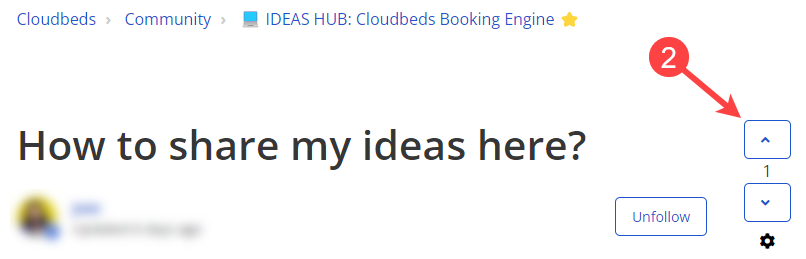
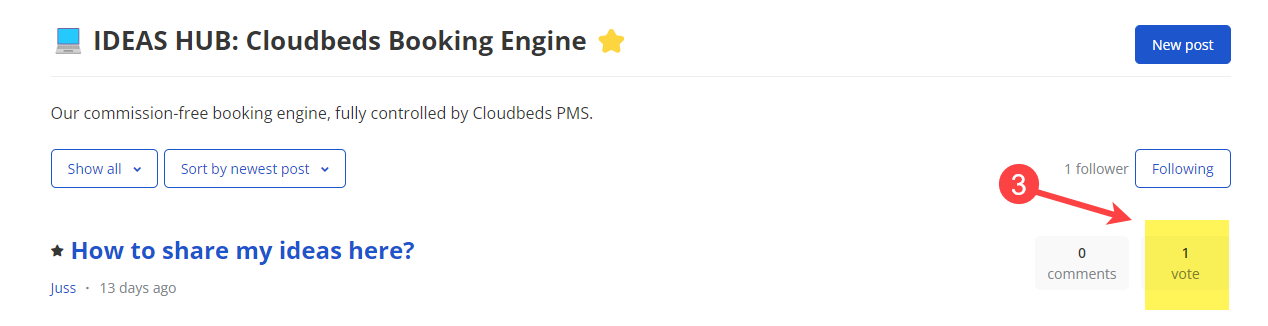
- Access the corresponding idea topic, and look for the idea you would like to vote for
- On the right-side arrows, click on the top one to add your vote
- The voted idea will show the number of votes on the topic's main page
➡️ How can I follow up on an idea topic?
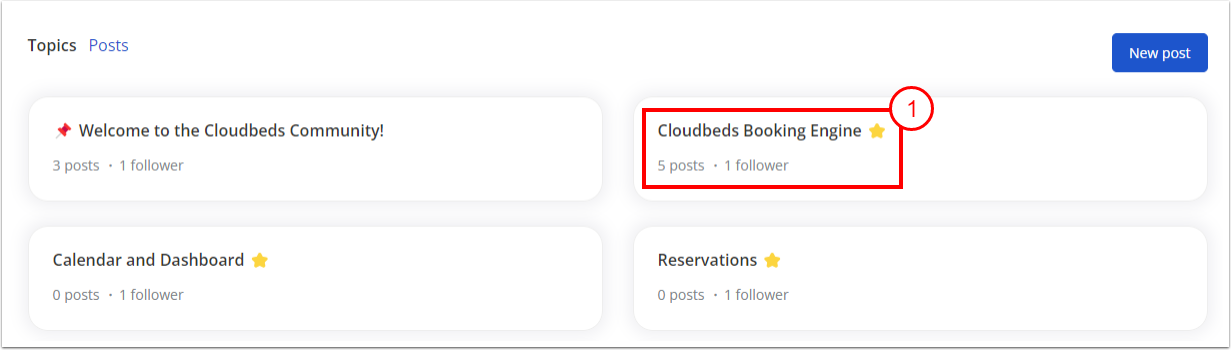
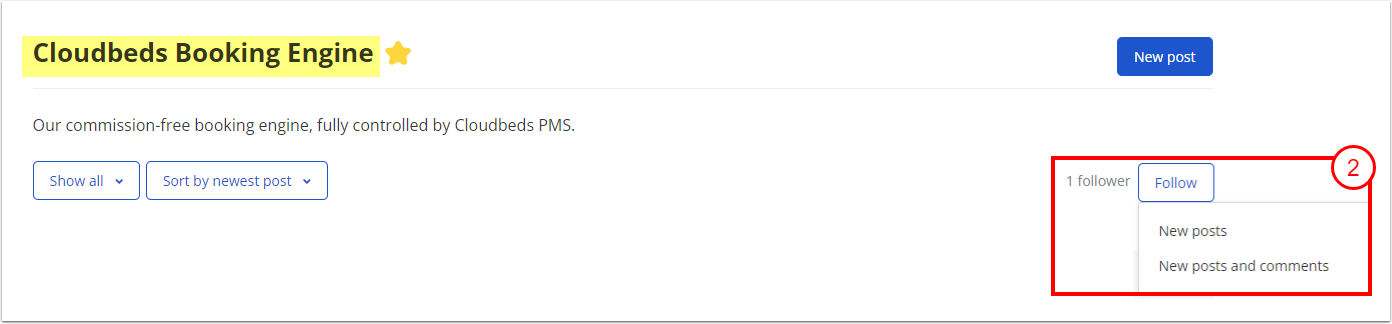
- Go to the Cloudbeds Community main page and click on the desired topic
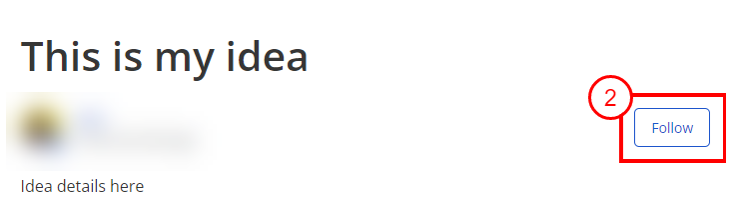
- Click on Follow and select your preferences to receive notifications
➡️ How can I follow an idea I submitted?
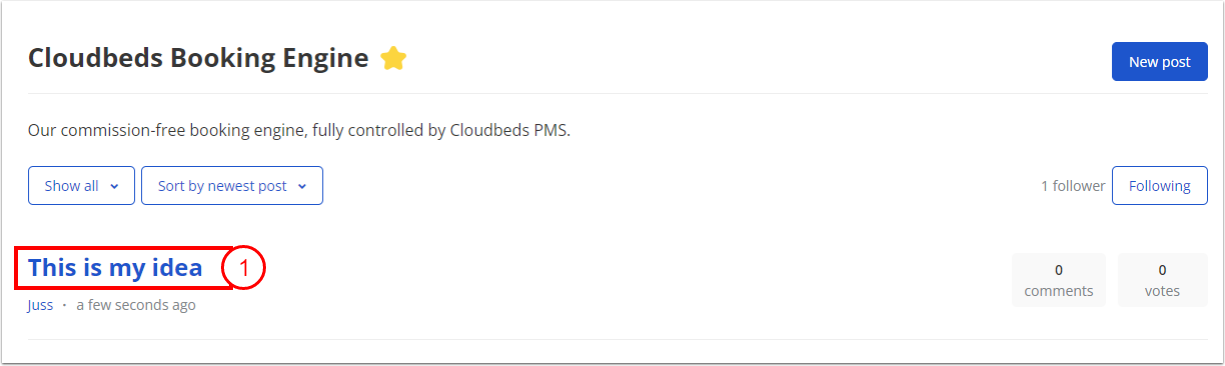
- Click on the topic of the submitted idea
- Click on Follow to get notifications about your idea
➡️ What is the meaning of each idea status?
🔵 Planned - This status means that we are working on the idea actively, or that we are planning to work on it actively. Please keep in mind that this status does not commit to a specific implementation date.
🔴 Not planned - This status indicates that the idea is unlikely to be implemented at any point. When an idea is marked as Not planned, it means that there are no immediate plans for its execution.
🟢 Completed - This means that the feature requested in the idea has been released and it is already live.
✅ Answered - This status is used for open discussions and it means that the posted question has been already answered.
➡️ Where are the previously sent ideas from the Cloudbeds Ideas Board?
The Ideas Board has been replaced with this new Cloudbeds Community, allowing users to have an open space to share ideas, ask questions, and interact with other Cloudbeds users. The previously submitted ideas have been categorized and sent to the corresponding departments for evaluation, and all the new ideas submitted in the Cloudbeds Community will be reviewed as well. Your voice matters! 📢
➡️ What does the little star next to the topic name mean?
A star (⭐) next to the topic name means that the referred topic is very popular among the community members. To determine the popularity level, we've taken into consideration:
- The number of ideas received under this topic, with all the related features/functionalities within that same category.
- The number of votes in these previously sent ideas
➡️ I do not see my idea open to votes. Why?
In the review process, there can be a lot of common ideas, which can be marked as duplicates (if there's already another idea open for votes with the same topic and details) However, this is a good sign: It means that your idea is very popular and there are a lot of similar ones already submitted.
In certain cases, some ideas already exist, meaning that the requested feature is already available in your Cloudbeds PMS platform. These ideas are usually marked as such.
Some other ideas might be received as incomplete. In this case, you might receive a message from our moderation team asking you for more details, and the original idea is archived to wait for the new one with more information.
⚠️ If the submitted idea does not include any topic or reference to ask for more details, it will be removed/archived.
➡️ How to make sure I submit my idea correctly?
- Before submitting your idea, please take a few minutes to make sure that it has not been already submitted. Remember that if an idea is a duplicate, it will be marked as such and it will not appear as open for votes because there's another idea with the same topic and details.
- Refer to the first question in this guide to learn how to submit your idea. Make sure to complete all the required fields with the necessary information.
- Be as clear and precise as possible.
- If you need to add extra resources (such as images/screenshots), make sure that it does not include personal or sensitive information (guest details, credit card numbers, etc)
➡️ How to add images and links to my idea?
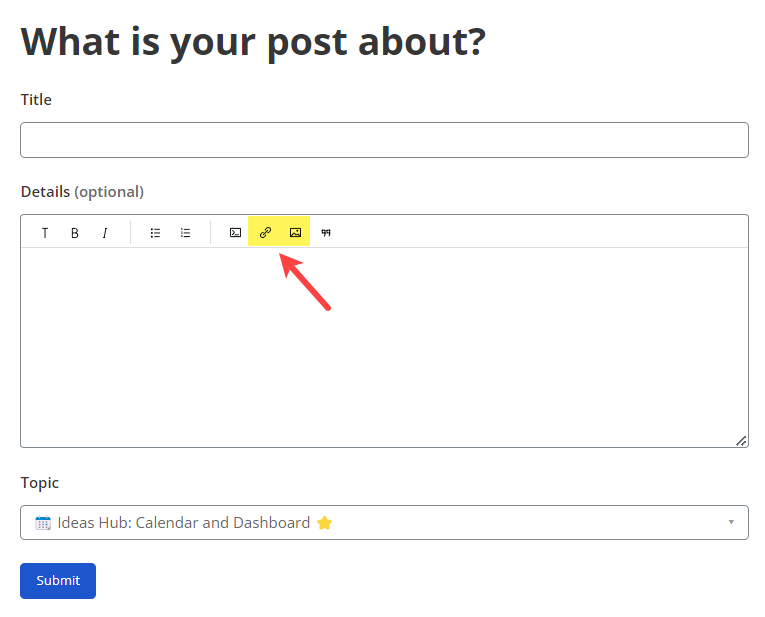
When clicking on the New Post to start drafting your idea, use the image and the link icons in the post editor:
- Click on the image icon to upload an image from your device
- Click on the link icon to paste your previously copied link
➡️ How can I mention/tag other users in my idea or comments?
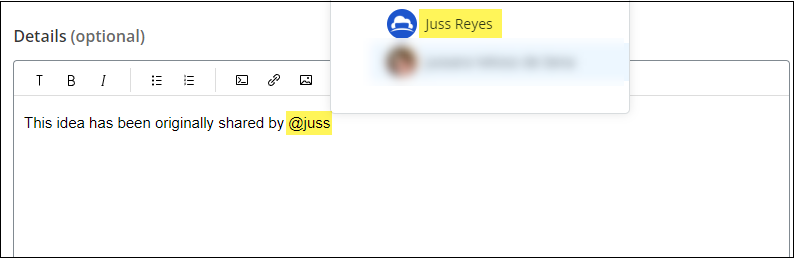
Simply start typing the "@" symbol and type the user's name you would like to mention. Please type the exact name of the user. The system will then start searching and will show you all the found coincidences.
Kindly note that mentioning another user will automatically send a notification to this user's email address, so they can see your comment/idea.
➡️ How can I track the ideas I submitted?
- Access your Help Center user profile
- Go to My Activities
- Click on the Contributions tab
- You can select to see Community Posts, Community comments, or Article comments:

Yorumlar
Yorum yazmak için lütfen oturum açın.