Your Community profile
1


In your Cloudbeds Community profile, you can check and track your activities, such as your requests, the requests you've been copied on, your contributions, and more.
Continue reading below for more information about how to explore your profile!
Access My activities
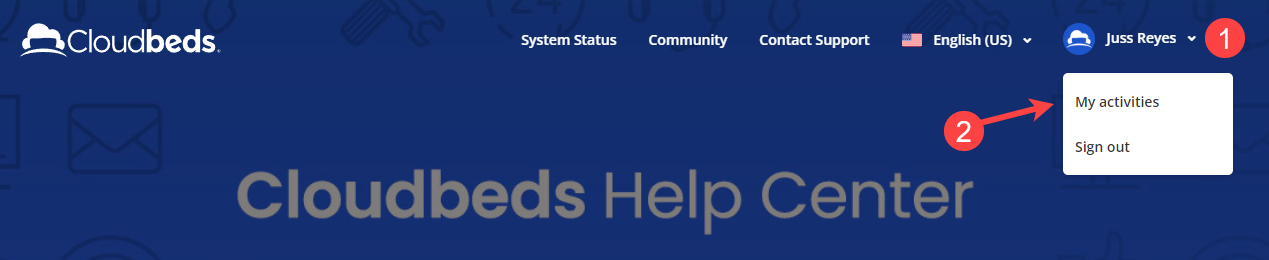
- Access the Cloudbeds Community and click the arrow next to your profile picture. Click on My Activities
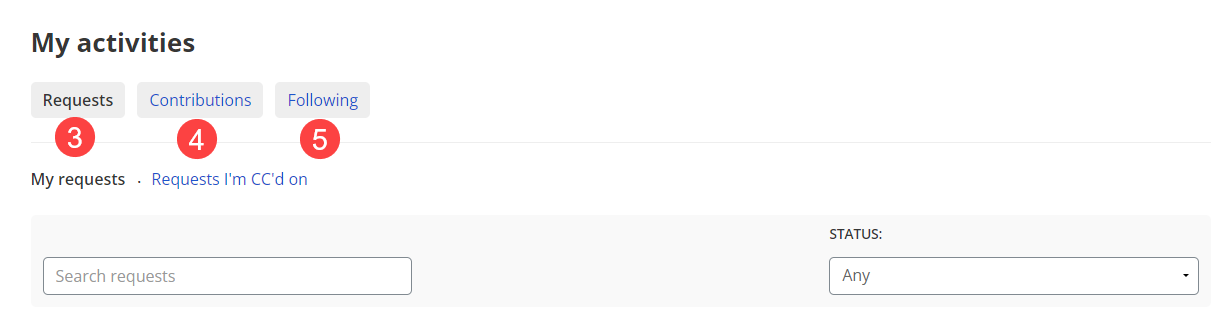
- Requests: This tab includes the list of all your requests, organized by date and status
- Contributions: This tab shows a list of all your contributions to the Community including the vote sum and more.
- Following: See the list of topics and posts that you're currently following.
Σχόλια
Πραγματοποιήστε είσοδο για να αφήσετε ένα σχόλιο.